Social customer care application enabling brand engagement.
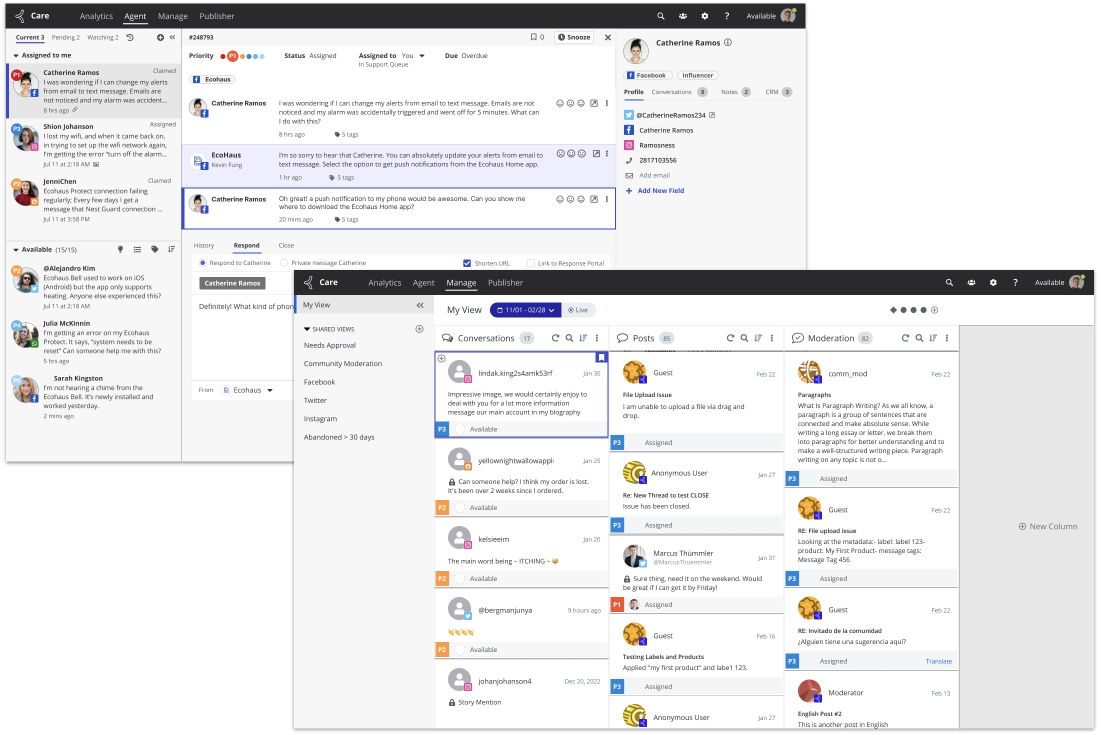
Feature Consolidation / Parity
Manage View Quick Actions.
Manage View Quick Actions.
Purpose
Enhance response moderation by incorporating network specific actions currently included in sunsetted product.
Enhance response moderation by incorporating network specific actions currently included in sunsetted product.
Challenge
Introduce new functionality within existing screen real estate while maintaining discoverability and accessibility.
Introduce new functionality within existing screen real estate while maintaining discoverability and accessibility.
Opportunity
Apply new design system to improve visual presentation and align Care with other applications in Khoros Suite.
Apply new design system to improve visual presentation and align Care with other applications in Khoros Suite.
Process
Collaborate with Product Management and other stakeholders to identify appropriate actions to enhance agent experience and reduce the average time needed to resolve a conversation.
Collaborate with Product Management and other stakeholders to identify appropriate actions to enhance agent experience and reduce the average time needed to resolve a conversation.
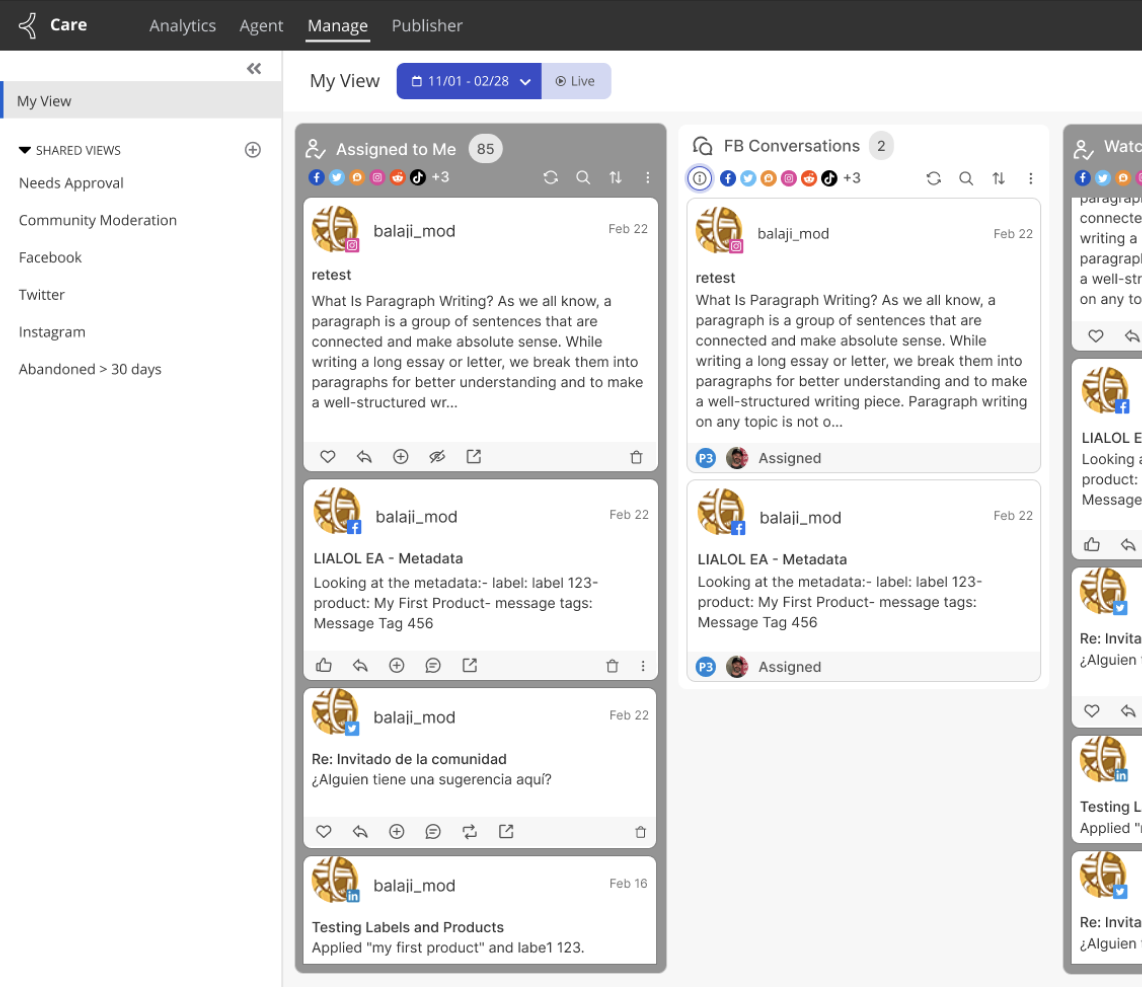
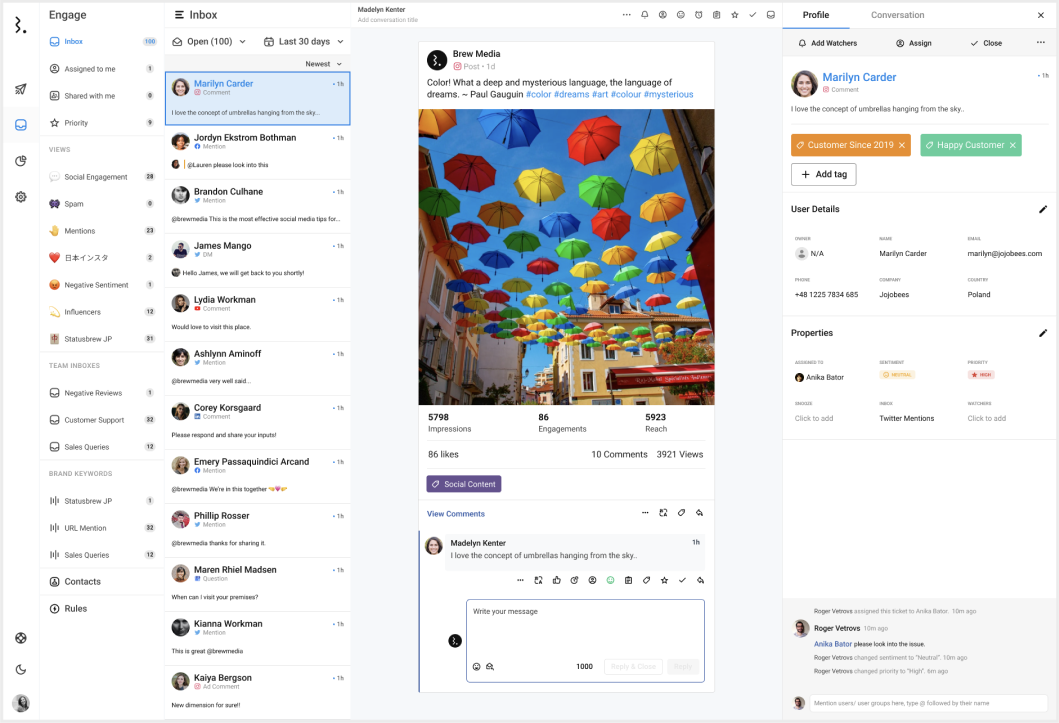
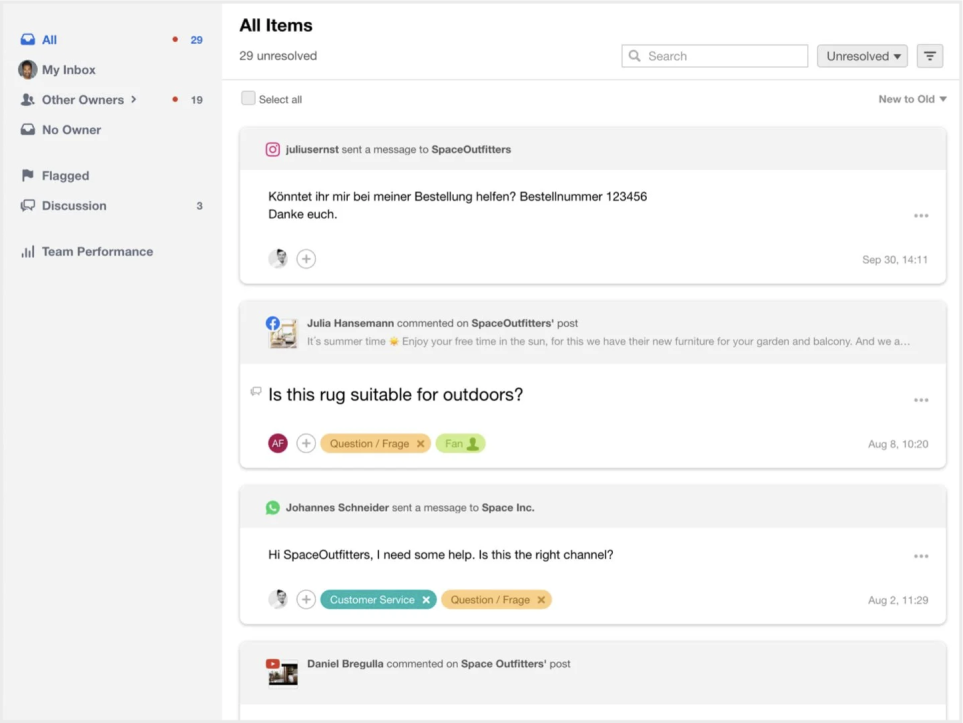
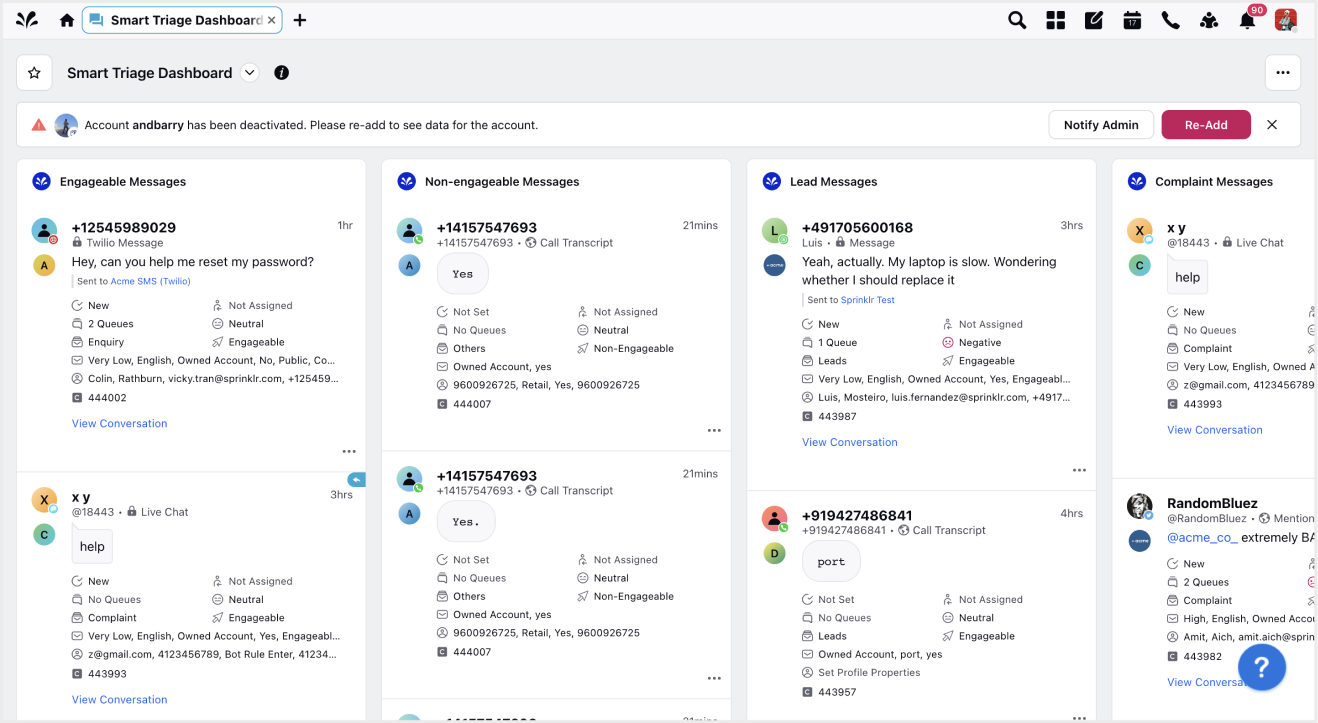
Research and Competitive Analysis
● Review competitor offerings for similar functionality.
● Identify and implement vital features included in competing products.
● Review competitor offerings for similar functionality.
● Identify and implement vital features included in competing products.
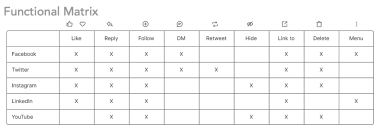
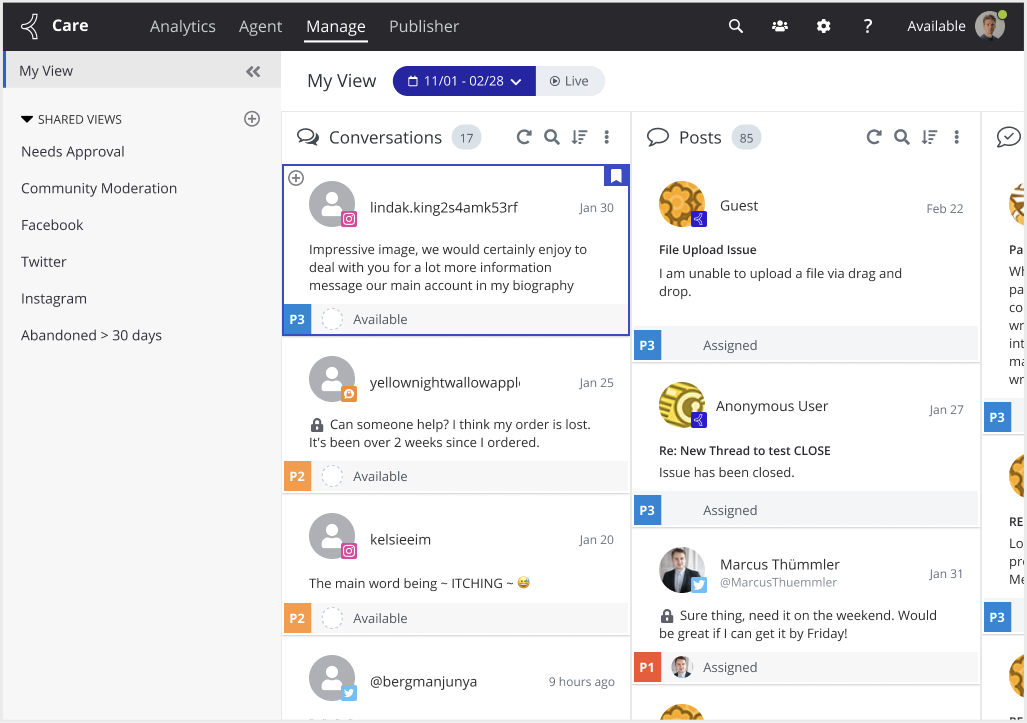
Design Process
● Continuous iteration of initial designs to determine content structure within existing UI.
● Creation of high fidelity prototype for stakeholder review and testing purposes.
● Opportunity to implement elements of recently updated design system.
● Continuous iteration of initial designs to determine content structure within existing UI.
● Creation of high fidelity prototype for stakeholder review and testing purposes.
● Opportunity to implement elements of recently updated design system.
Opportunity
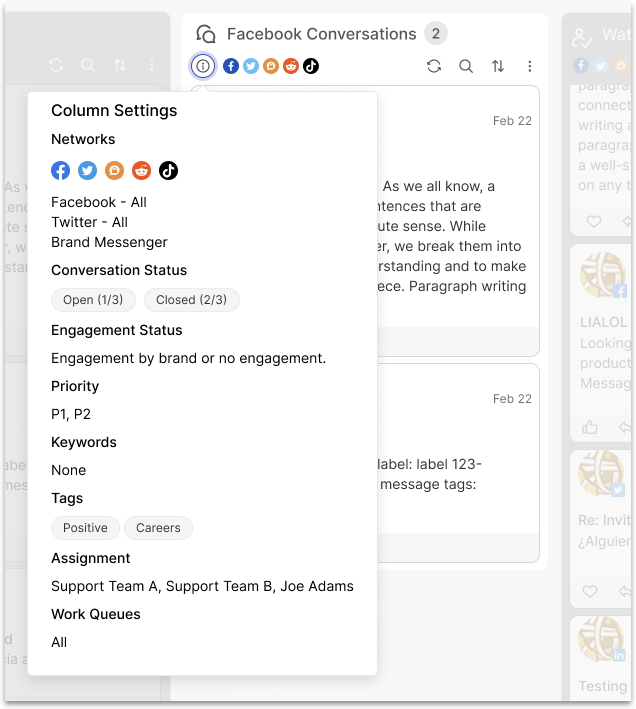
Provide additional context around conversations included in a column.
Provide additional context around conversations included in a column.
Solution
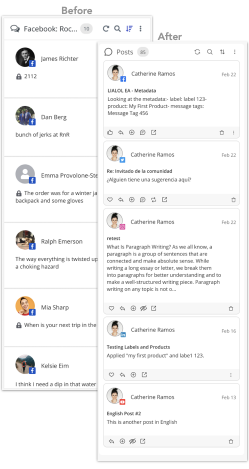
Add network icons and expose additional filter settings.
Add network icons and expose additional filter settings.
Challenge
Reduce agent time to respond.
Reduce agent time to respond.
Solution
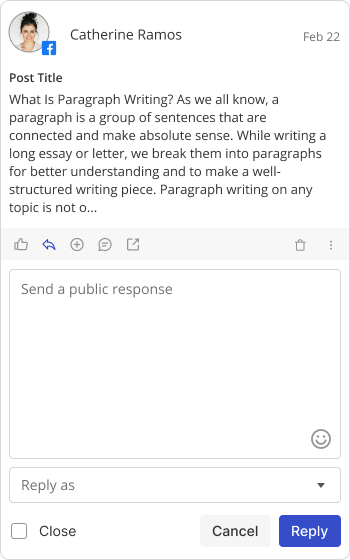
Expose response editor to allow response without opening entire conversation.
Expose response editor to allow response without opening entire conversation.
Challenge
Limited screen space to include additional actions.
Limited screen space to include additional actions.
Solution
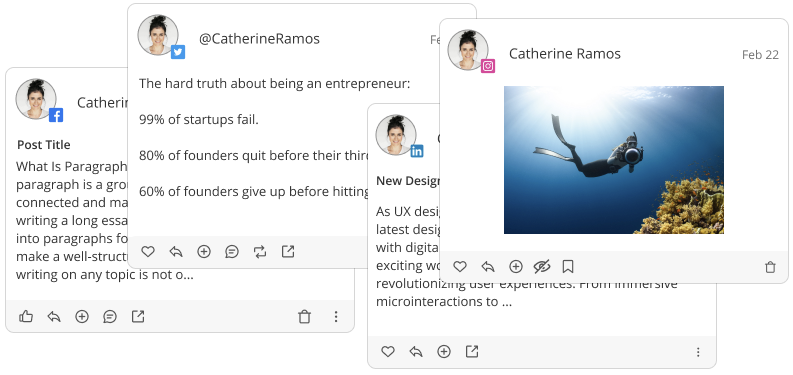
Repurpose existing footer for network specific actions.
Repurpose existing footer for network specific actions.
Opportunity
Apply design system updates within aging interface.
Apply design system updates within aging interface.
Solution
UI improvements to better align Care application with other Khoros Suite applications.
UI improvements to better align Care application with other Khoros Suite applications.
IMPLement new Design System
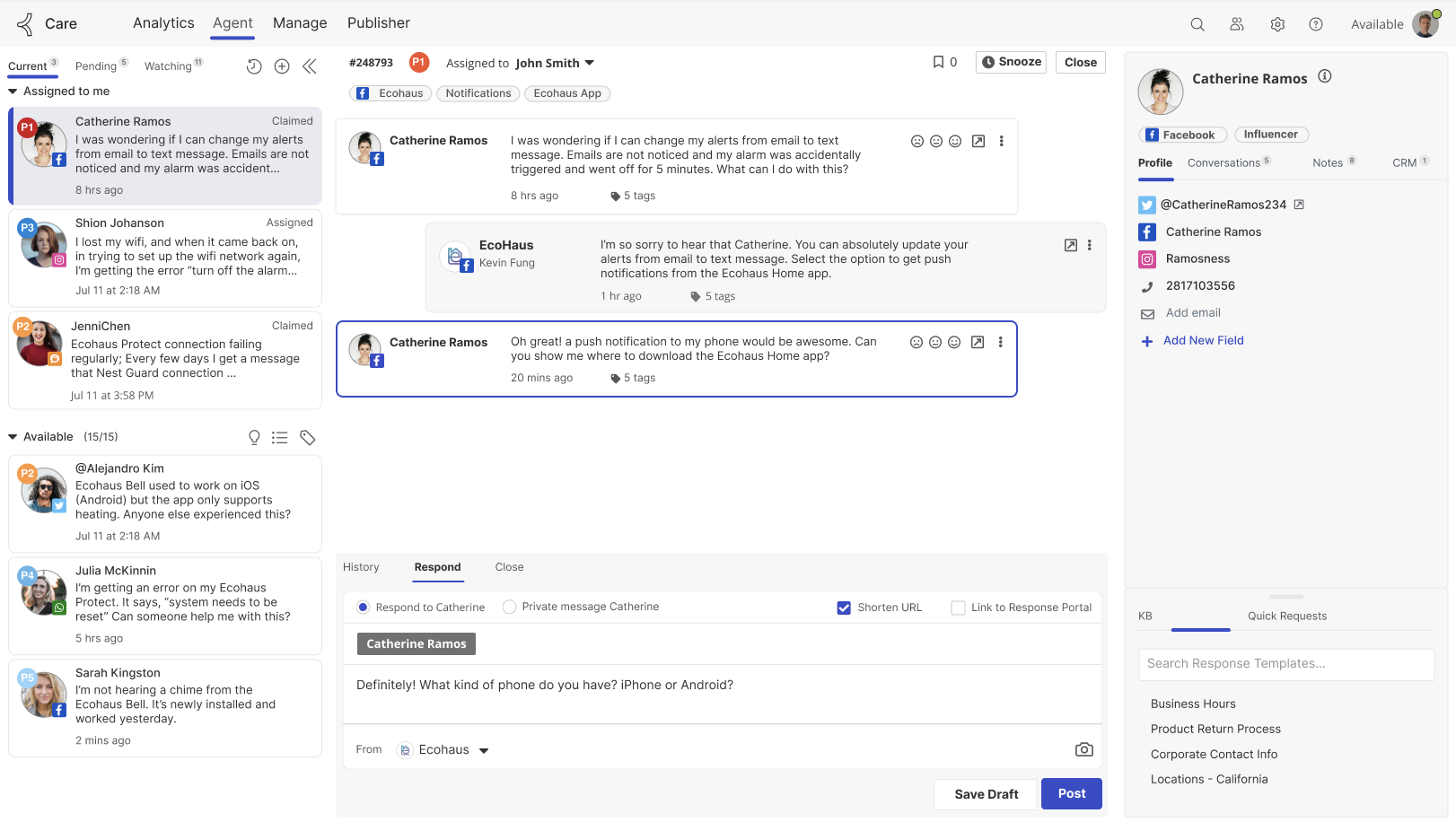
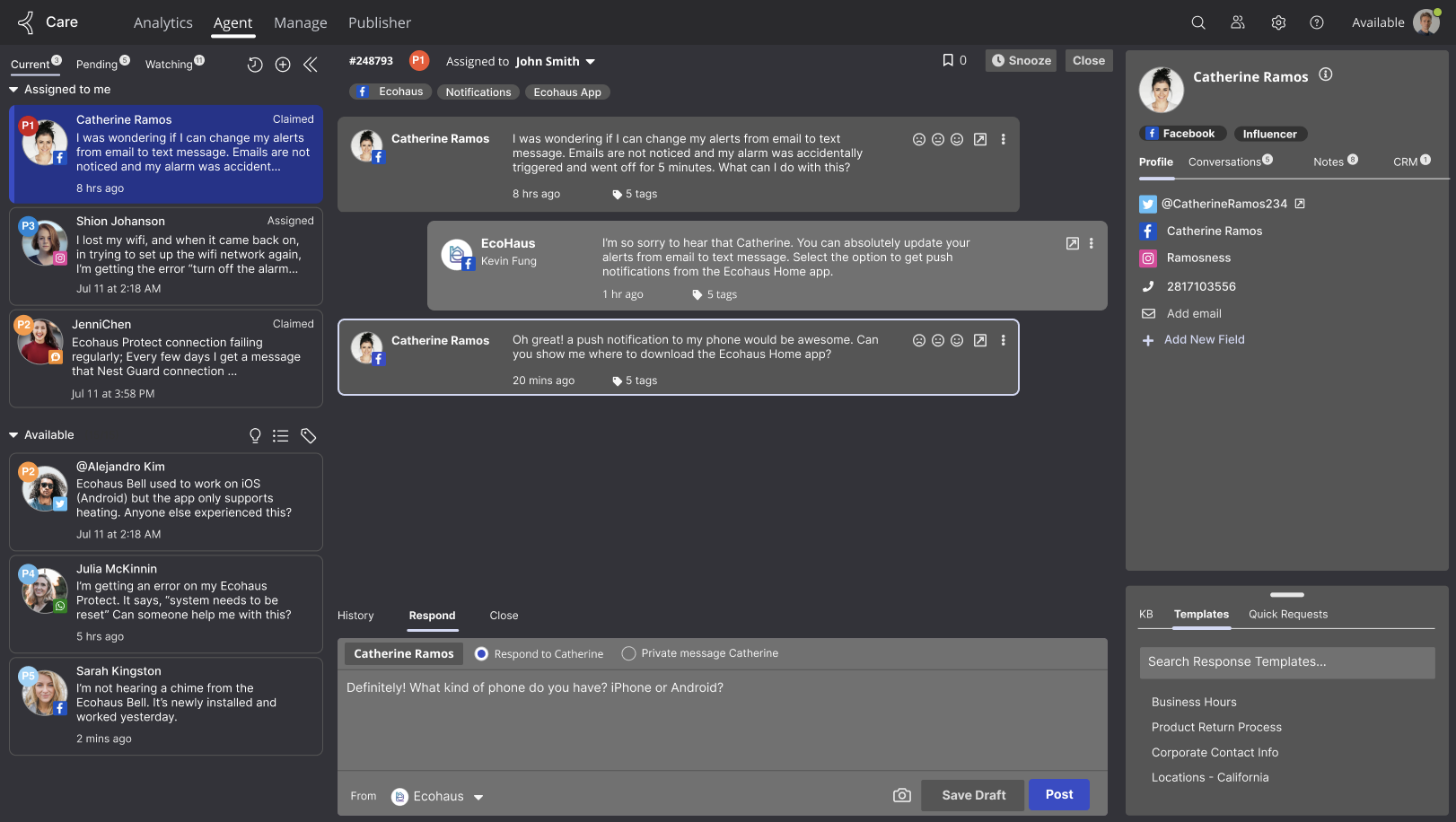
Upgrade agent experience by applying new design system to Agent View
Upgrade agent experience by applying new design system to Agent View
Purpose
Improve overall usability of Agent View within Khoros Care to better align application design with competing products and reduce customer attrition.
Improve overall usability of Agent View within Khoros Care to better align application design with competing products and reduce customer attrition.
Challenge
Implement impactful changes while staying within the overall UI of the application.
Implement impactful changes while staying within the overall UI of the application.
Opportunity
Introduce dark mode theme.
Introduce dark mode theme.
Improvements
● New typeface to align with other applications within Khoros Suite.
● Introduced new container styling and additional padding around conversations.
● Implemented clearer, consistent iconography.
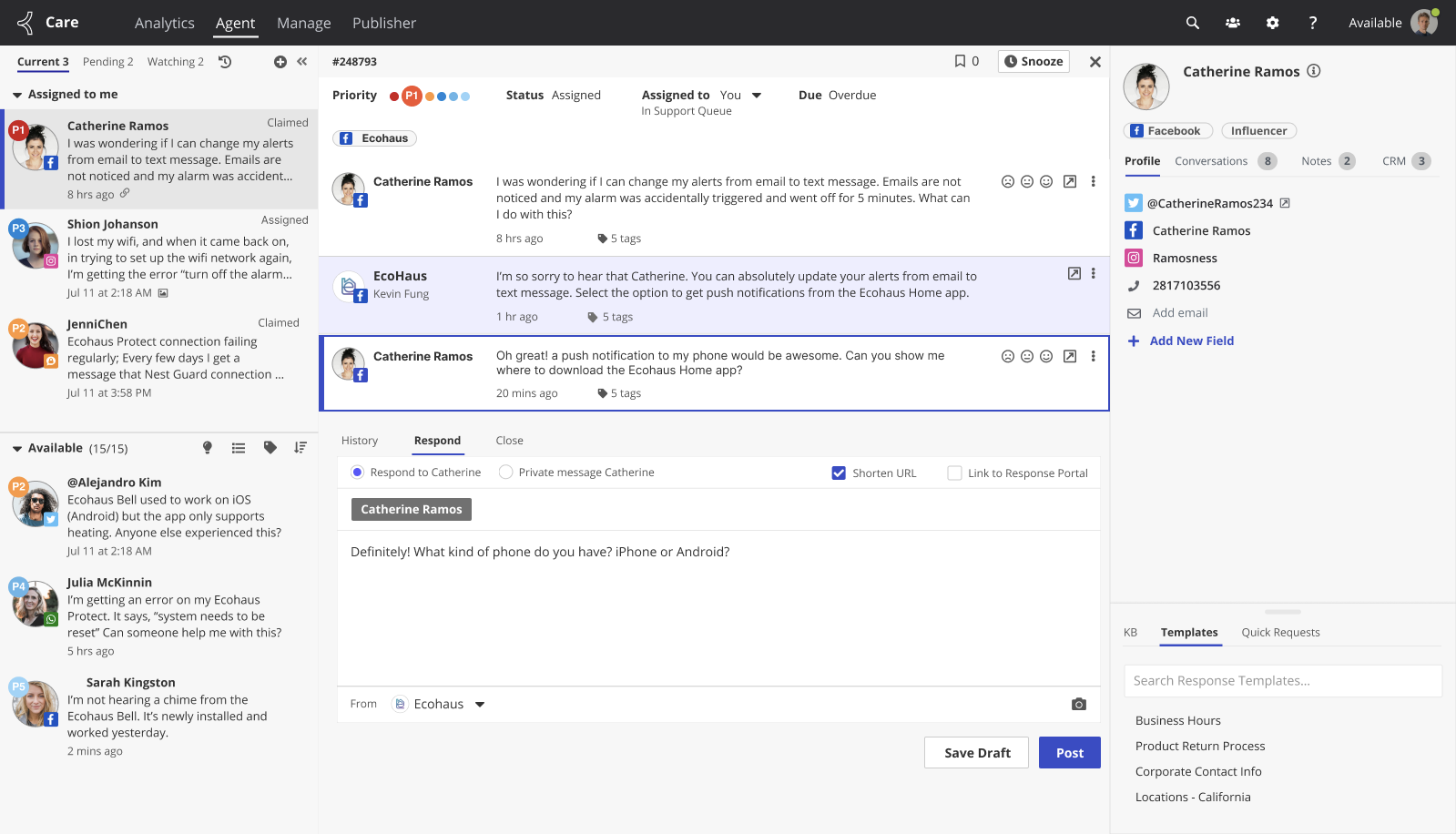
● Messages are presented in a left/right manner to allow agents to quickly differentiate between incoming and outgoing messages.
● Anchored response box to the bottom of the screen to provide a more consistent experience for the agent.
● Consolidated color palette which allowed for development of a dark theme for the application.
● New typeface to align with other applications within Khoros Suite.
● Introduced new container styling and additional padding around conversations.
● Implemented clearer, consistent iconography.
● Messages are presented in a left/right manner to allow agents to quickly differentiate between incoming and outgoing messages.
● Anchored response box to the bottom of the screen to provide a more consistent experience for the agent.
● Consolidated color palette which allowed for development of a dark theme for the application.
Before
After
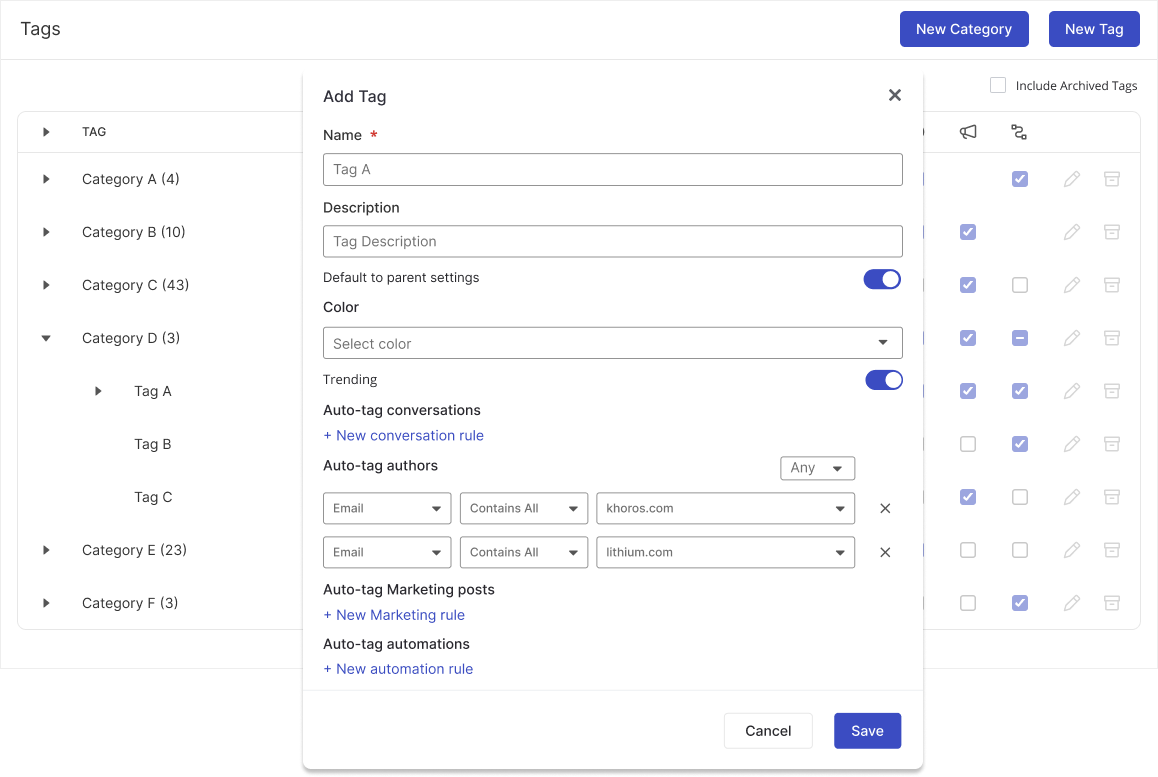
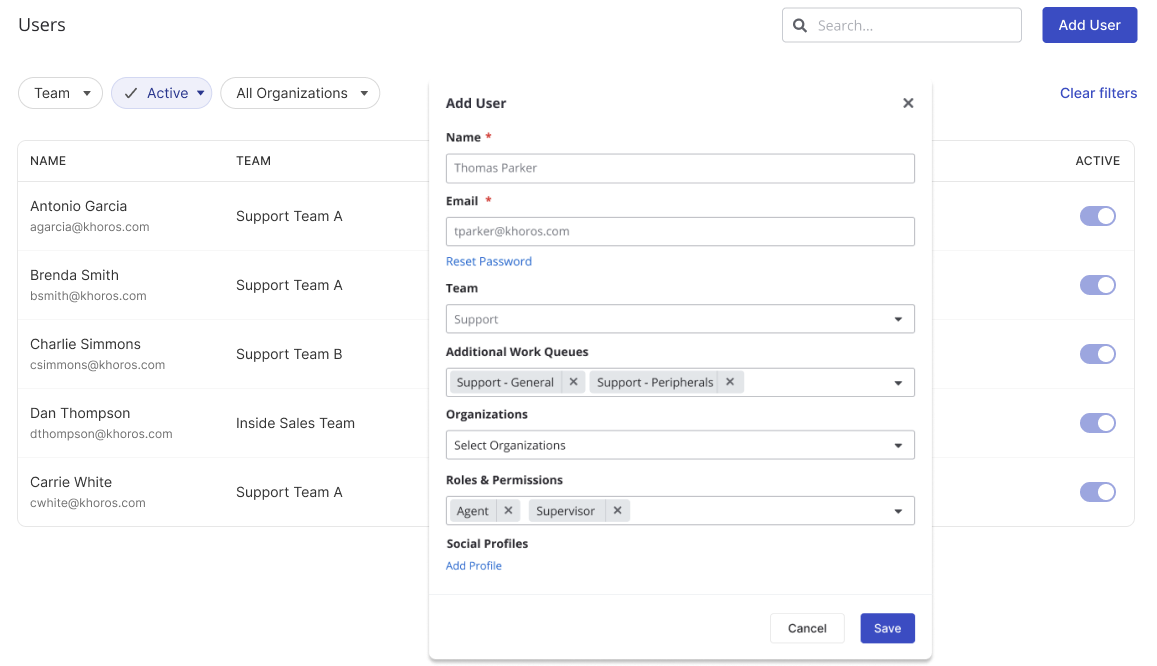
Update admin experience by applying new design system
Opportunity
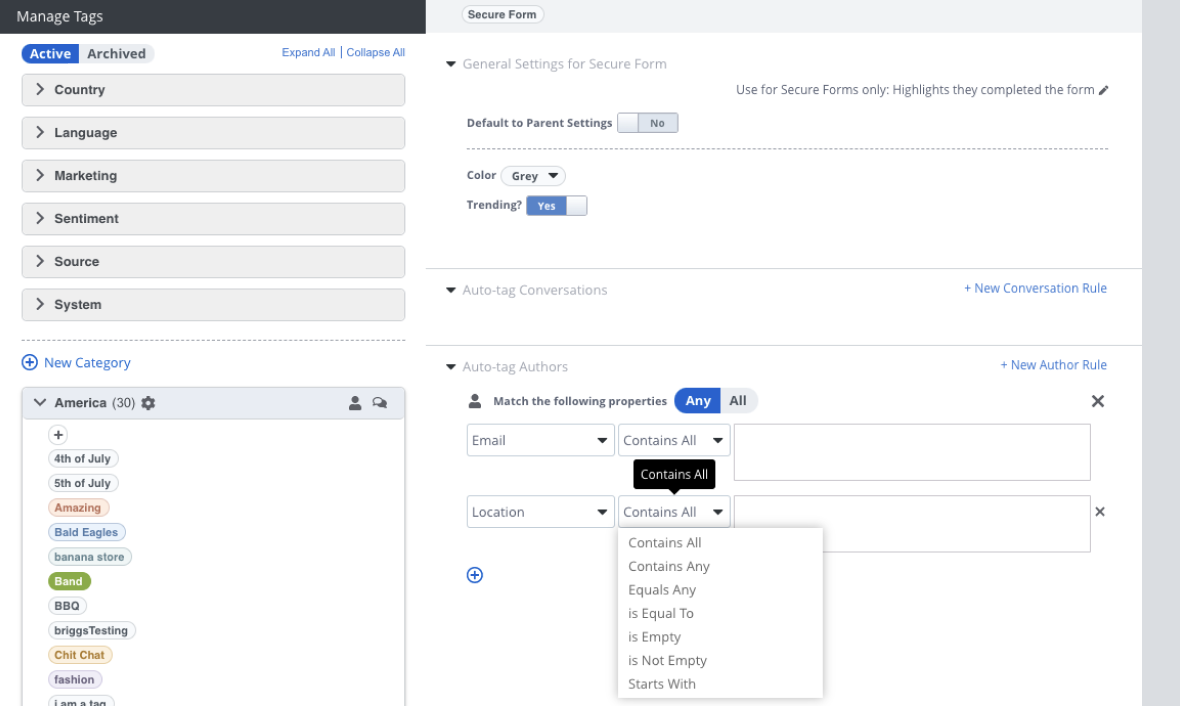
Apply new design system to improve visual presentation and align Care with other applications in Khoros Suite.
Apply new design system to improve visual presentation and align Care with other applications in Khoros Suite.
Before
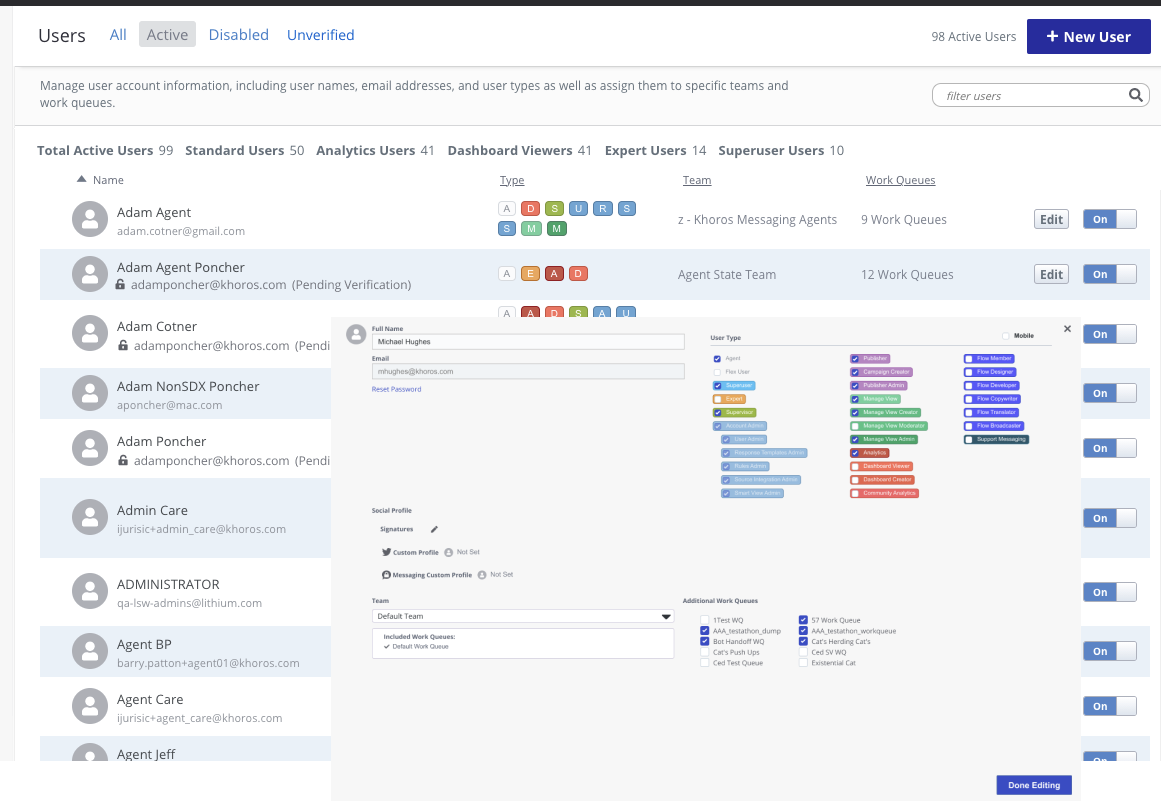
After